


Interactive Whiteboard: A Modern Tool for Education and Office
Interactive Whiteboard: A Modern Tool for Education and Office
What is an Interactive Whiteboard?
An interactive whiteboard is an electronic device that allows users to interact with a screen through touch. It typically consists of a large surface or wall-mounted electronic whiteboard and a central processor. Users can write, annotate, erase, save, and share content by touching the surface of the electronic whiteboard. It can also be accessed and controlled through an integrated computer system.


Core Advantages of Interactive Whiteboards
- Larger Writing Space: Provides a spacious display area for free creation and design.
- Convenient Content Sharing: Allows quick saving and sharing of written content, enhancing team collaboration efficiency.
- Diverse Input Methods: Compatible with handwriting pens, finger touch, and computer keyboards, meeting the needs of different users.
- Flexible Connection Options: Supports both wired and wireless connections for seamless integration with computers and other devices.
Main Functions of Interactive Whiteboards
- Text Writing and Graphic Editing: Supports handwritten input and graphic drawing, allowing users to easily create rich content.
- Multi-user Collaboration: Allows multiple users to write and edit simultaneously, making it ideal for team discussions and brainstorming.
- Touch Interaction: Enables precise writing and editing through touch pens or fingers.
- Content Storage and Export: All operations can be saved as documents or presentations for future use and sharing.
- Wireless Writing: Equipped with wireless pens, users can write without connecting to a computer.
- Remote Control: Users can access and operate the whiteboard remotely using remote control software.
- High-definition Display: Features high-resolution screens for clear and accurate content display.
- Smart Sensing Technology: Automatically detects user presence and adjusts screen power accordingly.
- Multiple Interfaces: Supports USB, HDMI, and VGA interfaces for easy connection to various devices.
- High Reliability: Built with high-quality materials for long-term stable operation.
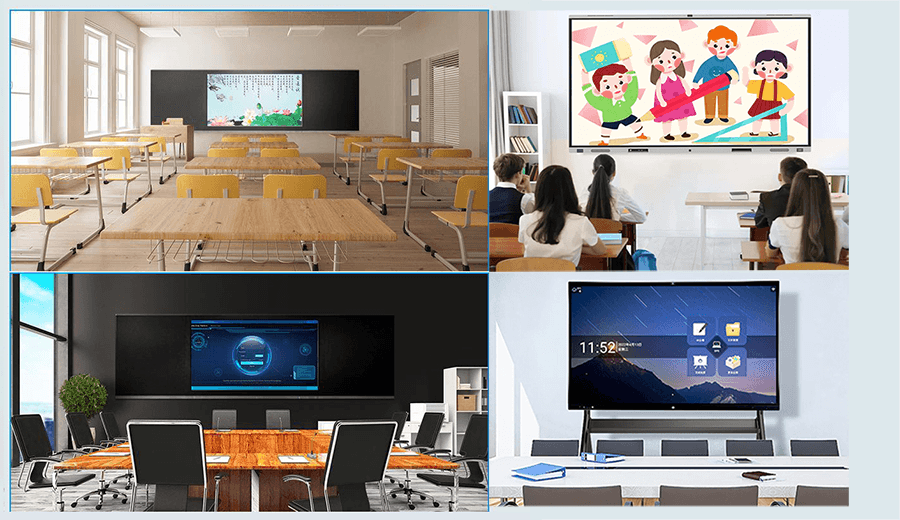
How to Use an Interactive Whiteboard All-in-One
An interactive whiteboard all-in-one is a powerful device suitable for meetings, discussions, and teaching. Below are the detailed steps for its use:
1. Install Drivers and Software
Before using the all-in-one device, install the drivers and control software. These programs are typically available from the device's official website or installation disc.
2. Connect the Device
Connect the all-in-one device to a computer or other equipment using a USB or network interface. Ensure the drivers are correctly installed before connecting.
3. Start the System
Open the control software on your computer, and the all-in-one device will automatically enter working mode. If it does not recognize automatically, manually configure the connection parameters.
4. Begin Operation
Select the desired mode (e.g., handwriting, drawing) in the software interface to start operating on the screen.
Handwriting Mode
Use a touch pen to write on the screen, and the system will automatically recognize and record the content.
Drawing Mode
Draw graphics using a touch pen or fingers, with options for multiple colors and stroke styles.
Annotation Mode
Add annotations to existing content to highlight key information.
Summary
The interactive whiteboard all-in-one device, with its powerful functions and flexible usage, has become an ideal tool for modern education and office environments. It not only improves work efficiency but also provides new possibilities for team collaboration and knowledge sharing.
You may also like
1.Technological Development and Innovation of Interactive Whiteboards
2.Market Trends of Interactive Whiteboards in the Education Sector
3.What is an interactive Whiteboard and how to use it?
4.Interactive Whiteboards: Boost Classroom Engagement
5.Application and prospects of interactive whiteboards in enterprise collaboration
GPINXIN Related Products
Digital Photo Frame
Interactive Whiteboard
Industrial Control Panel Displays
Advertising Machine
LED Splicing Screen(LED video wall)
LCD Splicing Screen(LCD video wall)
OLED Transparent Screen(OLED video wall)
Flexible Film Screen(Flexible video wall)
Transparent Double-sided Display
Conventional Double-sided Display
Vertical Double-sided Transparent Display Interactive Whiteboard Software for Multi functional Analysis


